
How can we help?

Explore our Knowledge Base

How do I update which reports are processed when an application is submitted?

Landlord/Broker FAQs

How do I update which reports are processed when an application is submitted?

Edit selected reports on your existing forms.

Last updated on 22 Jul, 2024

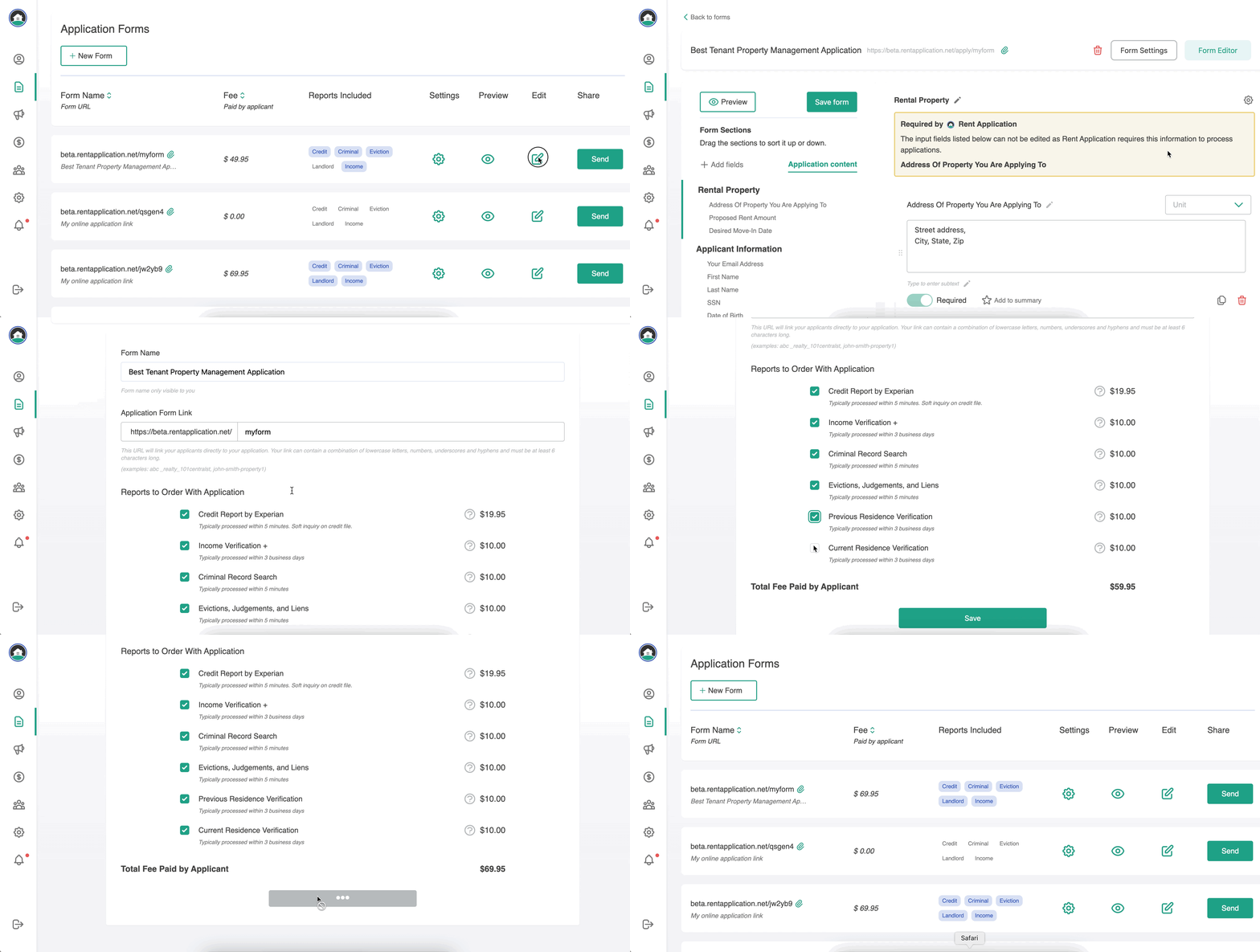
To choose which reports are automatically processed when an application is submitted:

Click the Edit button next to the form you would like to update in your dashboard. Once in the form builder, click the Form Settings button in the top right.

Next, select which reports you would like to include and click Save

Image
Did you find this article helpful?
Previous

About Rent Application's Income+ & Landlord Verification Reports

Next