
By default, your account is set up to receive 2 email notifications for each application submitted:
1. As soon the application is submitted
2. When all the reports are complete
These could come back-to-back, or you may only want to receive 1 notification email per application! Good news, you can update the frequency in your account!
How to update notification preference
Under your account Settings, click on the Notifications tab. From here, you can:
Add additional email recipients
Update the types of notifications you receive
Add your mobile number to receive notifications via text messaging
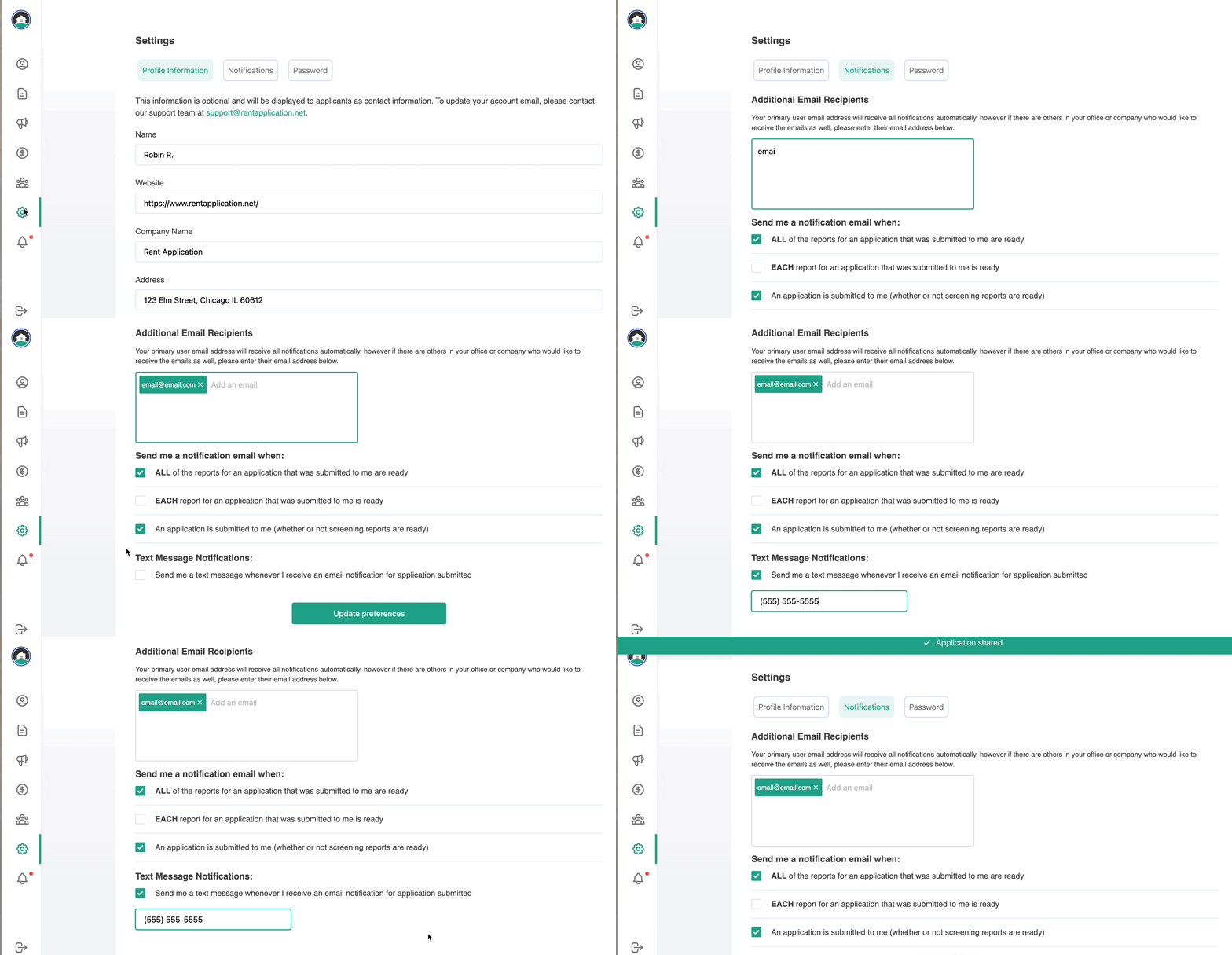
Don't forget to click on Update Preferences to save your changes!