

How to get set up
1. Log into your Rent Application dashboard: https://www.rentapplication.net/login
2. Go to the My Payments tab on the left:
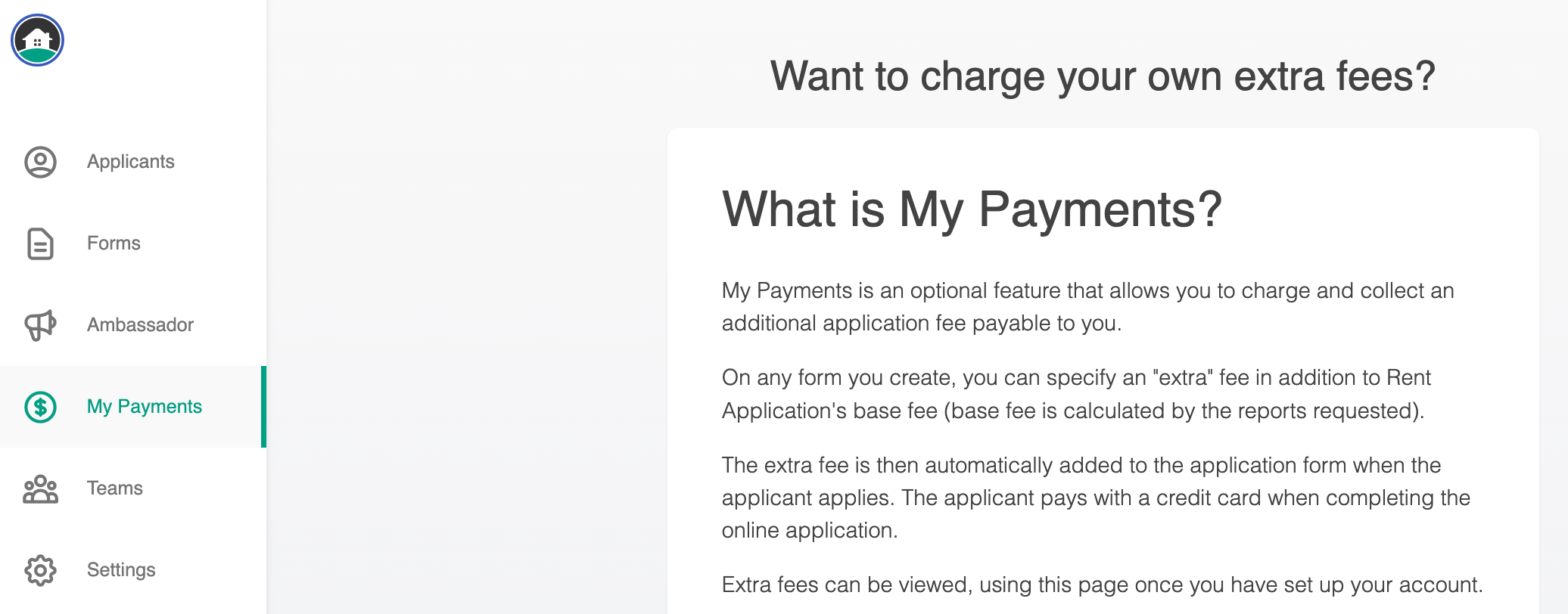
3. Click "Activate" to get started. There is a one-time $50.00 set-up fee in order to use this feature payable by credit card.
4. You will then enter your bank account and routing information as well as other identifying information into our secure server for compliance and safety.
Using this feature
You will be able to add fees to any new or existing application form. To do so, click the "Edit" button next to the form in your dashboard. Then, click on "Settings". Enter in the amount of the fee you wish to charge in the pop-up window that appears. Makes sure to click the green "Save" button when you are done.
Rent Application will collect these fees from applicants at the time of submission and deduct a processing fee of $0.30 + 3.4% of the total fee amount.
Withdrawals will be initiated and deposited into your bank account via ACH transfer on the 1st of every month!
Can I collect Rent or Security Deposits through My Payments?
No, we do not support those payments at this time. The additional fee you can add to your application is capped at $100.
Terms of Use: https://learn.rentapplication.net/my-payments-terms-of-use