

If you've forgotten your password or never set one:
1) Click on the Login button at https://www.rentapplication.net/
2) Click on Forgot Password?
3) Enter the email address associated with your account and click Send me Instructions
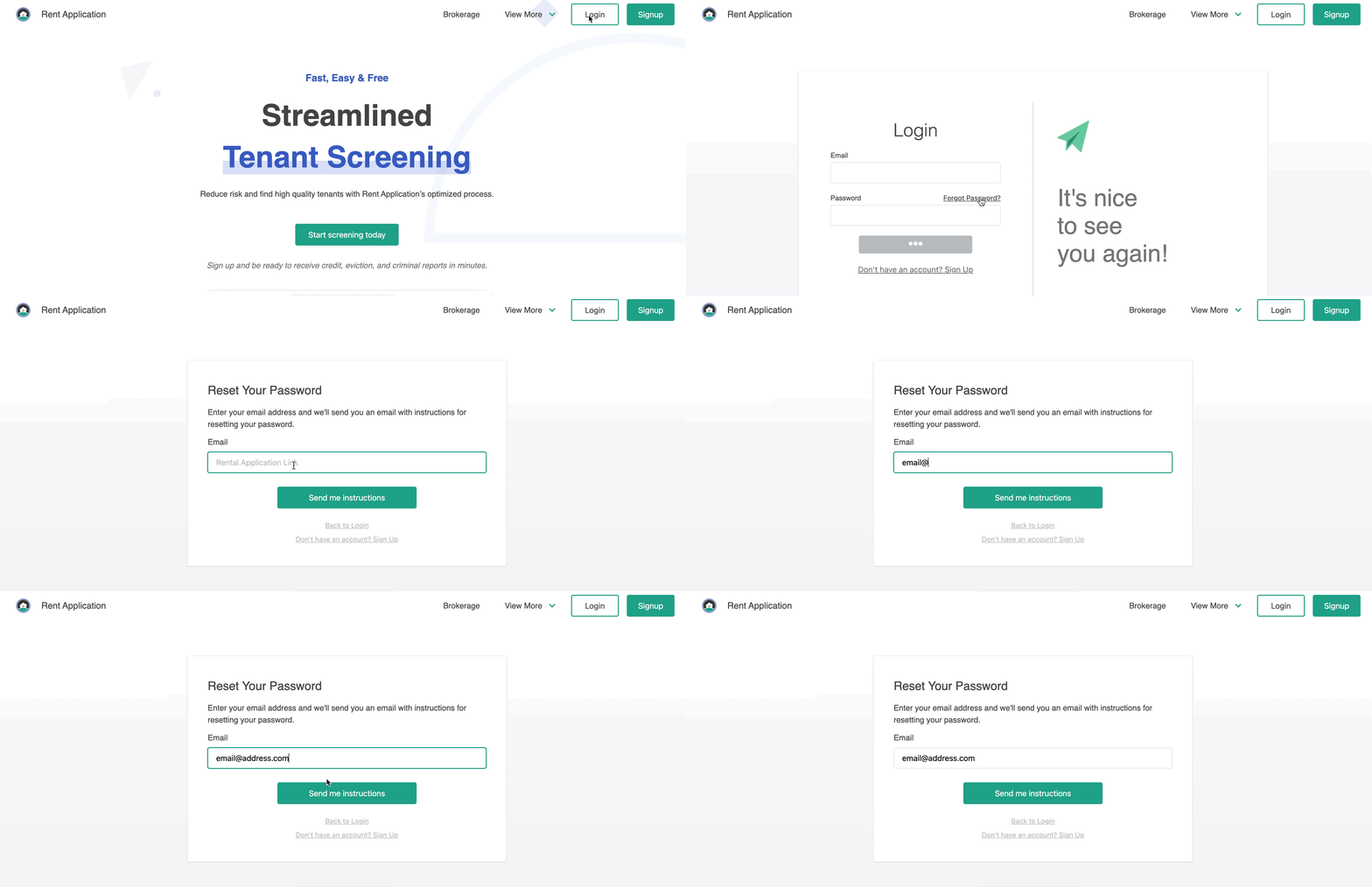
4) You will receive an email within a few minutes. Click on the Reset Password button in the email.
5) Enter your new password in the window that opens and click Reset Password. That's it!
If you know your password but would like to update it:
1) Log in to your account at https://www.rentapplication.net/login/
2) Click on the Settings tab, then click on the Password tab
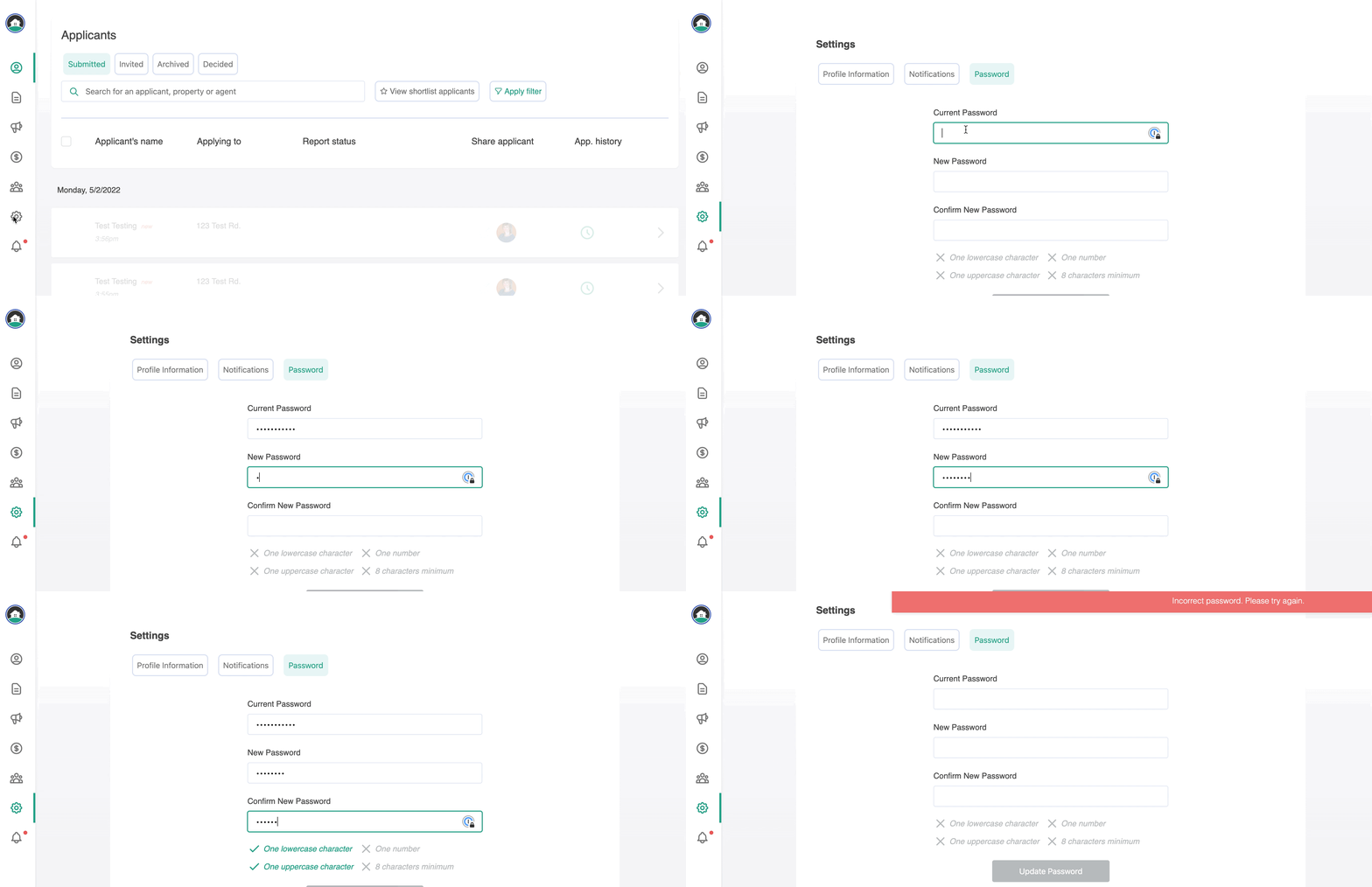
3) Enter your current password and new password, then click Update Password. That's it!